
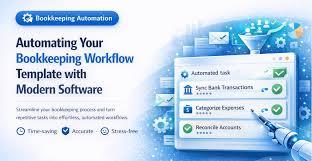
Bookkeeping is the foundation of every organization’s financial health. Accurate records ensure compliance, enable better decision-making, and support smooth financial closes. Yet many businesses still rely on ad-hoc bookkeeping processes manual entries, spreadsheets, email-based approvals, and inconsistent routines. These practices consume time, increase errors, and make scaling difficult.
A bookkeeping workflow template solves these challenges by standardizing how bookkeeping tasks are performed, reviewed, and finalized. When combined with automation, a workflow template not only saves time but also significantly reduces the risk of errors.
In this official blog on our website, we explain how to create an effective bookkeeping workflow template, best practices to follow, and how Autymate helps businesses implement automated, audit-ready bookkeeping workflows.
What Is a Bookkeeping Workflow Template?
A bookkeeping workflow template is a structured, repeatable process that defines how bookkeeping tasks move from start to finish. It outlines:
-
What tasks need to be completed
-
In what order tasks should be done
-
Who is responsible for each task
-
What reviews and approvals are required
-
What documentation must be attached
Instead of relying on individual judgment or memory, a workflow template ensures bookkeeping is done consistently, accurately, and on time.
Why Businesses Need a Bookkeeping Workflow Template
Without a defined workflow, bookkeeping processes often suffer from:
-
Missed or delayed entries
-
Inconsistent account treatment
-
Errors due to manual handling
-
Poor documentation
-
Weak audit trails
A standardized bookkeeping workflow template provides:
-
Clear accountability
-
Reduced rework
-
Faster month-end close
-
Improved compliance
-
Easier onboarding of new staff
For growing businesses and accounting teams, a workflow template is essential—not optional.
Step-by-Step Guide to Creating a Bookkeeping Workflow Template
Step 1: Identify Core Bookkeeping Activities
Start by listing all recurring bookkeeping tasks, such as:
-
Recording daily transactions
-
Accounts payable and receivable entries
-
Bank and credit card reconciliations
-
Payroll postings
-
Expense categorization
-
Journal entries
-
Month-end adjustments
This creates the foundation of your workflow.
Step 2: Define the Sequence of Tasks
Bookkeeping tasks must follow a logical order. For example:
-
Collect source documents
-
Record transactions
-
Categorize accounts
-
Reconcile balances
-
Review and approve
-
Lock records for reporting
Defining task sequence prevents downstream errors and rework.
Step 3: Assign Clear Ownership
Each task should have a clearly defined owner:
-
Preparer (who performs the task)
-
Reviewer (who verifies accuracy)
-
Approver (if required)
Clear ownership ensures accountability and avoids confusion.
Step 4: Standardize Inputs and Outputs
Your workflow template should define:
-
Required documents (invoices, bank statements, receipts)
-
Standard naming conventions
-
Expected outputs (reconciled balance, journal entry, report)
Standardization improves consistency and audit readiness.
Step 5: Build Review and Approval Steps
Error reduction depends on strong reviews. Your workflow should include:
-
Mandatory review checkpoints
-
Approval thresholds for high-risk entries
-
Escalation paths for exceptions
This ensures accuracy before records are finalized.
Step 6: Define Timelines and Deadlines
Each task should have a defined timeline, such as:
-
Daily transaction posting
-
Weekly AP processing
-
Monthly reconciliations
Timelines help teams stay on schedule and support faster closes.
Step 7: Include Exception Handling
No process is perfect. Your workflow template should define:
-
How discrepancies are flagged
-
Who investigates issues
-
How corrections are documented
This prevents errors from being overlooked.
Best Practices for an Effective Bookkeeping Workflow Template
To maximize impact:
-
Keep workflows simple but structured
-
Use the same template across periods
-
Avoid excessive manual overrides
-
Embed controls into the workflow
-
Ensure documentation is mandatory
Most importantly, do not rely on spreadsheets alone. Manual tracking defeats the purpose of a workflow.
Why Manual Workflow Templates Still Fall Short
Even with a well-designed template, manual execution introduces challenges:
-
Tasks still tracked in spreadsheets
-
Approvals handled via email
-
No real-time visibility
-
Weak audit trails
-
Difficult scalability
This is where automation becomes essential.
How Autymate Helps Create and Automate Bookkeeping Workflow Templates
Autymate provides a powerful platform that allows businesses to design, automate, and manage bookkeeping workflows with complete control and visibility.
1. Ready-to-Use Bookkeeping Workflow Templates
Autymate offers configurable bookkeeping workflow templates for:
-
Daily transaction posting
-
Monthly reconciliations
-
Journal entries
-
Month-end close
Templates can be customized to match your accounting structure.
2. Automated Task Assignment and Tracking
With Autymate:
-
Tasks are automatically assigned
-
Deadlines are enforced
-
Status updates happen in real time
No more chasing people via email.
3. Built-In Review and Approval Controls
Autymate enforces:
-
Mandatory reviews
-
Approval hierarchies
-
Segregation of duties
This significantly reduces errors and compliance risk.
4. Centralized Documentation Management
All supporting documents are:
-
Uploaded in one place
-
Linked to tasks
-
Stored securely
This makes audits faster and stress-free.
5. Real-Time Visibility and Dashboards
Finance leaders can instantly see:
-
Which bookkeeping tasks are complete
-
Which are pending or overdue
-
Where bottlenecks exist
This enables proactive management.
6. Strong Audit Trails
Autymate automatically records:
-
Who performed each task
-
Who reviewed and approved
-
When changes were made
This ensures audit readiness at all times.
7. Scalable for Growing Businesses
As transaction volume increases, Autymate scales without increasing manual effort. This is ideal for:
-
Growing companies
-
Accounting firms
-
Outsourced bookkeeping teams
-
Multi-entity organizations
Business Impact of Using an Automated Bookkeeping Workflow Template
Organizations that use structured, automated bookkeeping workflows experience:
-
Faster month-end close
-
Fewer errors and adjustments
-
Improved compliance
-
Better team productivity
-
Higher confidence in financial data
Bookkeeping shifts from reactive work to a controlled, predictable process.
Why Autymate Is the Right Choice
Unlike basic task tools, Autymate is purpose-built for finance and accounting workflows. It combines:
-
Customizable workflow templates
-
Automation and controls
-
Real-time visibility
-
Audit-ready documentation
This makes Autymate an ideal solution for businesses serious about financial accuracy and efficiency.
Final Thoughts
Creating a bookkeeping workflow template is the first step toward efficient and accurate financial operations. However, true value comes when that template is automated, controlled, and visible.
Manual workflows may save structure but automation saves time, reduces errors, and supports growth.
As highlighted in this official blog on our website, Autymate empowers businesses to create and manage bookkeeping workflow templates that are standardized, scalable, and audit-ready helping finance teams work smarter, not harder.

 English
 Magyar
 Arabic
 French
 Spanish
 Deutsch
 Turkish
 Dutch
Dutch
 Italiano
 Russian
 Romaian
 Portuguese (Brazil)
 Greek
Greek