
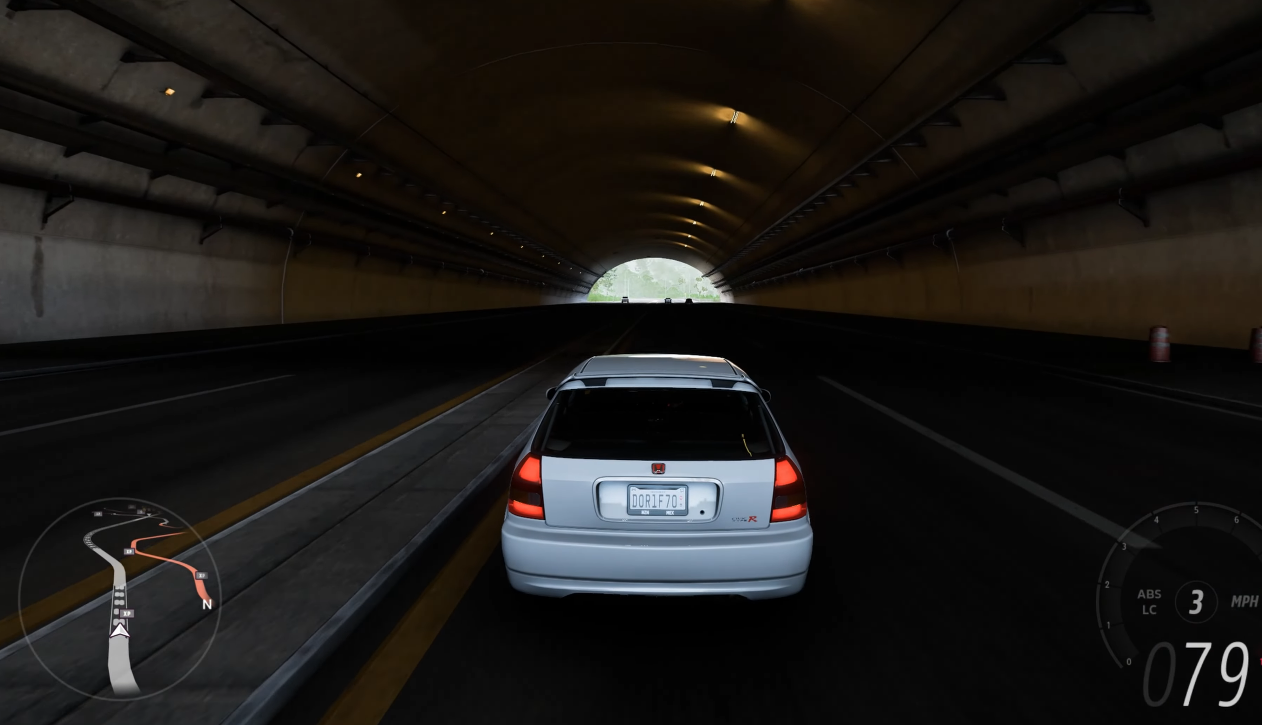
Improving lap times in Forza Horizon 6 can be a challenging but rewarding process. If you’re looking to shave a few seconds off your best times, understanding telemetry is a great place to start. Telemetry provides detailed information about how your car behaves on the track, helping you fine-tune your driving for better performance. In this guide, we’ll walk through the basics of telemetry and how you can use it to improve your lap times.
What Is Telemetry in Forza Horizon 6?
Telemetry is a system in Forza Horizon 6 that tracks and records real-time data as you race. This data includes vital information like speed, gear, throttle input, brake force, tire pressure, and more. In simple terms, telemetry tells you exactly what your car is doing at every moment during the race.
While the game’s visual indicators (like your speedometer and mini-map) give you a rough idea of how you're driving, telemetry digs deeper into the details. It’s like a digital co-driver that provides a full report after each lap, which you can use to identify where you're losing time or making inefficient driving choices.
Why Should You Care About Telemetry?
Many players focus solely on the visual aspects of racing, like hitting the apex or staying within the track limits, but telemetry helps you understand why you’re either gaining or losing time. Instead of guessing whether you’re braking too early or accelerating too aggressively, telemetry shows you exactly how much pressure you’re applying to the brake or throttle. This precise information allows you to make data-driven adjustments, rather than relying on gut feelings.
For example, if you're consistently slow through a corner, telemetry will show you if you’re braking too hard or too early, or if you’re not using enough throttle to accelerate out of the turn. By making small adjustments, you can refine your driving to be much more efficient.
How Do I Access Telemetry in Forza Horizon 6?
In Forza Horizon 6, telemetry data is accessible after each race or during practice laps. You can bring up a telemetry screen by pressing a button on your controller or navigating to the telemetry tab from the in-game menu. Once you’re viewing the telemetry data, you’ll see a breakdown of the various inputs and outputs, which can sometimes be overwhelming. But don’t worry – you don’t need to focus on everything at once. Start with the basics and slowly build your understanding.
What Data Should I Focus On?
The telemetry screen is filled with a lot of information, but some of it is more critical for improving lap times than others. Let’s break down the key elements you should focus on:
1. Throttle Input (Acceleration)
One of the most crucial pieces of telemetry data is throttle input. The game tracks how much throttle you apply at any given moment. Too little throttle can result in slower acceleration, while too much throttle, especially during cornering, can cause loss of traction and slower lap times.
Look at the throttle graph after a lap to see if you’re applying too much or too little gas at certain points. Ideally, you want to maintain smooth and consistent throttle input through corners, with a gradual increase in throttle as you exit the turn.
2. Brake Input
Braking is another essential factor in lap time improvement. The telemetry will show you how hard you’re braking and when you start to brake for a corner. Braking too early or too late can ruin your lap. If you notice you're braking too hard or too soon, you can adjust to brake later and with less intensity, which can lead to smoother and faster corners.
Look for areas where you might be braking too early or not using enough brake pressure to slow the car effectively. The goal is to find the optimal braking point where you’re slowing down just enough to make the corner but not losing too much time.
3. Speed and G-Forces
Tracking your speed through different sections of the track helps you identify areas where you can either carry more speed or where you're losing momentum. The telemetry system also tracks the lateral G-forces when you’re cornering. High G-forces indicate that you're turning aggressively, while low G-forces mean you're either turning too gently or that your tires aren't gripping as well as they should.
In general, try to maintain the highest possible speed while still feeling in control of the car. If you're taking a corner too slow and not generating much G-force, you might be able to push harder and gain some time.
4. Tire Data
Tire pressure and tire temperature are critical for performance. If your tires are over- or under-inflated, or if they overheat, you'll lose grip, which can negatively impact your lap time. In some cases, your telemetry will show you the individual pressures for each tire. Pay attention to this, especially when racing on tracks with long straights or hot conditions, as tires can heat up and lose their optimal performance window.
5. Gears and RPM
Monitoring your gear shifts and RPM is also important. If you’re consistently hitting the redline or shifting too early, you may not be optimizing your car’s power band. Look at the RPM graph to see if you’re staying within the ideal range for your car. Shifting too early can result in a loss of power, while shifting too late can cause the engine to struggle.
How Do I Use Telemetry to Improve My Lap Times?
Now that you know what data to focus on, how do you actually use this information to improve your performance? Here are some tips to help you put telemetry to good use:
1. Identify Weak Points
After each lap, take a look at your telemetry and look for areas where you’re losing time. Are you braking too early? Not using enough throttle in corners? Losing speed on the straights? The more you can pinpoint where you’re losing time, the more you can adjust your driving accordingly.
2. Make Small Adjustments
Instead of making drastic changes, focus on small adjustments based on what you see in your telemetry. If you notice you’re braking too hard in a corner, try easing up on the brake pressure and see if it helps. If you’re applying too much throttle early on corner exits, try applying it gradually and more smoothly.
3. Experiment with Different Driving Styles
Use telemetry data to experiment with different driving techniques. For example, if you’ve been using trail braking but notice you're not gaining as much speed through the turns, try a different braking technique or approach. The key is to use telemetry as a way to test out various techniques and find the one that works best for your driving style.
4. Use Telemetry for Practice
One of the best ways to use telemetry is during practice sessions. After each lap, review your telemetry to see if you made improvements or if there are still areas to work on. By repeatedly practicing and analyzing your telemetry, you’ll gradually see your lap times improve.
5. Don't Overwhelm Yourself
There’s a lot of telemetry data to look at, but you don’t need to tackle everything all at once. Start by focusing on a few key aspects, like braking and throttle input, and slowly work your way up to more advanced data like tire pressures and G-forces. With practice, you’ll be able to analyze your data more efficiently.
Can I Use a Cheap Forza Horizon 6 Account for This?
If you’re just starting out in Forza Horizon 6 or want to dive deeper into telemetry without investing too much time upfront, consider a cheap Forza Horizon 6 Account. With a pre-established account, you can jump right into racing without the grind, allowing you to focus more on perfecting your lap times and analyzing telemetry.
Understanding and using telemetry is a powerful way to improve your lap times in Forza Horizon 6. By focusing on throttle, brake input, tire pressure, and more, you can gain valuable insights into how to drive faster and more efficiently. While it may take some time to fully understand and interpret all the data, it’s a tool that can make a noticeable difference in your performance. Keep practicing, analyze your telemetry, and you’ll soon see improvements in your lap times.

 English
 Arabic
 French
 Spanish
 Portuguese
 Deutsch
 Turkish
 Dutch
Dutch
 Italiano
 Russian
 Romaian
 Portuguese (Brazil)
 Greek
Greek