
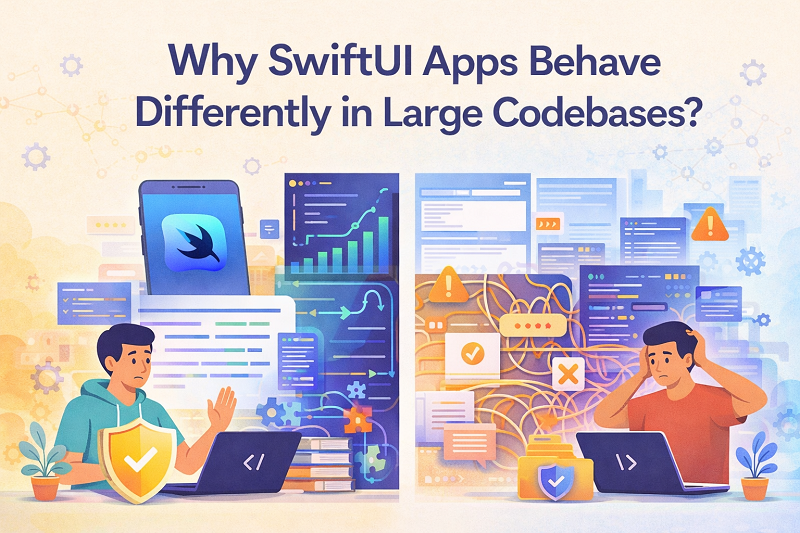
The first time I felt something was off, I didn’t see an error. I felt it. It was late afternoon, the office mostly empty, the kind of quiet where even small inconsistencies feel louder. I tapped a screen I’d worked on dozens of times before. The animation stuttered, then corrected itself, as if the app had second-guessed its own response.
In isolation, the view was perfect. In previews, it behaved beautifully. Still, inside the full app, something subtle had shifted. After years in mobile app development San Diego, I’ve learned that those small shifts usually mean something deeper is happening.
When SwiftUI Still Feels Small
SwiftUI feels gentle when a project is young. State is easy to reason about. Views feel declarative in the best way. You describe what you want, and the framework takes care of the rest.
I remember how clean the early code felt. Files were short. Dependencies were obvious. When something changed, you knew exactly why. SwiftUI rewarded that clarity with behavior that felt almost intuitive.
That early phase builds trust. It teaches you that this is how things will work going forward. The trouble is that the app does not stay small.
The Day Context Starts Doing the Work
As the app grows, views stop living alone. They get wrapped, embedded, reused, and observed from places far away from where they were written.
That’s when context starts doing more work than the view itself. State arrives from multiple directions. Environment values stack up. View updates trigger other updates you didn’t expect.
I noticed this one afternoon while tracing a redraw that made no sense on its own. The view wasn’t changing. The data wasn’t changing. Still, SwiftUI decided to re-render. The reason lived outside the file I was looking at.
State That Felt Obvious Stops Feeling Local
In smaller projects, state feels close. You can point to where it lives and how it changes.
In larger codebases, state spreads out. Some of it is shared. Some of it is derived. Some of it exists only to satisfy another layer.
I’ve watched views respond to state changes that were technically correct but emotionally confusing. A value changed somewhere else. The view updated faithfully. The user experienced it as inconsistency.
SwiftUI did exactly what it was told. The app behaved differently because the story behind the state had grown harder to follow.
When Identity Becomes a Guessing Game
One of the strangest moments I had was realizing a view was being recreated more often than I expected. Not updated. Recreated.
In a small app, identity feels stable. In a large one, identity becomes inferred. SwiftUI decides what is the same and what is new based on signals that are easy to overlook.
A minor structural change higher up the tree can make everything below it feel brand new. Animations reset. Local state disappears. Nothing crashes. Still, the behavior changes.
Those moments are unsettling because they don’t point to a single line of code. They point to structure.
Performance That Feels Fine Until It Doesn’t
Performance issues rarely show up early. They arrive gradually, almost politely.
I’ve seen SwiftUI screens that felt smooth in testing start to feel heavy as the app grew. Not broken. Just slower to respond. Transitions that once felt immediate now carried a pause.
The cause was never one thing. It was accumulated weight. More observers. More environment values. More work triggered by changes that used to be cheap.
SwiftUI didn’t change. The context it operated in did.
Previews That Stop Telling the Whole Truth
Previews are one of SwiftUI’s gifts. They encourage iteration. They reduce friction.
At scale, previews become less honest. They show the view without the surrounding pressure. Without the real state graph. Without the full environment.
I’ve learned to treat previews as sketches, not rehearsals. They show shape, not behavior. The real performance only appears when the view lives where it will actually be used.
Debugging Behavior Instead of Bugs
One thing that changed for me was how I debugged. I stopped looking for bugs and started looking for behavior.
Nothing was technically wrong. The app followed the rules. The issue was that the rules interacted in ways that felt surprising.
That kind of debugging is slower. It requires stepping back and asking what SwiftUI is reacting to, not just what you wrote.
Once I accepted that shift, the frustration eased. The framework wasn’t misbehaving. It was responding to a story that had grown complicated.
The Weight of Reuse
Reuse feels like a win until it isn’t. SwiftUI makes reuse easy, which can hide cost.
I’ve reused views across screens that lived under very different parents. The view worked everywhere, yet it felt slightly different each time.
That difference wasn’t visual. It was temporal. When updates arrived. When animations triggered. When state reset.
The view wasn’t inconsistent. Its surroundings were.
Learning to Respect Boundaries Again
Over time, I started drawing firmer boundaries. Not technical ones. Conceptual ones.
I became more careful about what state a view truly needed. I reduced how much it could see. I resisted passing environment values casually.
These changes didn’t make the code shorter. They made behavior steadier. SwiftUI responds well when it’s given less to react to.
Accepting That Scale Changes Feel, Not Rules
The biggest lesson was accepting that large codebases change how things feel, not how they work.
SwiftUI doesn’t become unreliable. It becomes more literal. It does exactly what it’s designed to do, even when that result surprises you.
Once I stopped expecting small-project behavior in a large system, the frustration softened. I adjusted expectations instead of blaming the tool.
Watching the App Settle Again
After those adjustments, the app felt calmer. Not faster in benchmarks. Calmer in use.
Views updated when they should. Animations felt intentional again. I stopped being surprised by redraws.
That calm didn’t come from mastery. It came from alignment between scale and structure.
Sitting With the Framework Instead of Fighting It
I still enjoy SwiftUI. I just meet it differently now.
I don’t expect it to protect me from scale. I expect it to reflect it. When behavior changes, I look outward before I look inward.
Large codebases reveal truths small projects never need to face. SwiftUI simply makes those truths visible.
That late afternoon, when the app hesitated and corrected itself, wasn’t a failure. It was a signal. The system had grown, and it was asking to be treated like it had.

 English
 Magyar
 Arabic
 French
 Spanish
 Portuguese
 Deutsch
 Turkish
 Dutch
Dutch
 Russian
 Romaian
 Portuguese (Brazil)
 Greek
Greek