
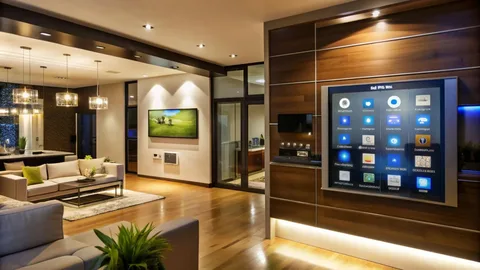
A thoughtful Smart Home Automation strategy turns scattered gadgets into a cohesive system that genuinely improves daily routines rather than creating more friction. When systems are designed around outcomes—comfort, security, energy savings and simple control—automation becomes a dependable layer that reduces decision fatigue and scales with household needs. This article explains practical design choices, integration patterns, commissioning workflows and maintenance practices that separate successful smart homes from the hobbyist noise.
Smart home automation should make life simpler and more comfortable without adding complexity for the people who live there. It must be engineered, tested and supported like any other household infrastructure.
Why Outcome-Driven Design Trumps Gadget Shopping
Many failed automation projects begin with a shopping list instead of a plan. Outcome-driven design starts by asking what the home should do automatically: do you want lights that remember evening scenes, shades that reduce afternoon solar gain, a reliable entry system for occasional guests, or climate zoning that follows presence? Defining these outcomes before choosing hardware directs spending toward devices that produce frequent, measurable value. This mindset also clarifies which functions must remain local during internet outages and which can safely rely on cloud services. Designing for outcomes prevents feature creep and focuses the project on daily usefulness rather than novelty.
Network And Power As First-Class Infrastructure
A robust automation system depends on a reliable network and sensible power distribution. Approach Wi-Fi and wired networking the way an electrician treats circuits: plan coverage, remove single points of failure and document the topology. Use enterprise-grade access points positioned from a heatmap rather than guessing radio placement. Run Ethernet to hubs, media devices and any fixed controllers when possible, and segment IoT traffic on a dedicated VLAN to reduce risk and interference. Power planning matters equally: provide dedicated circuits or low-voltage bus systems for motorized shades and centralized racks with UPS protection for core controllers. Treating network and power as infrastructure yields automation that behaves predictably under everyday loads.
Selecting Devices For Longevity And Local Control
Pick devices that offer local control for critical functions like door locks, smoke alarm interlocks and thermostat overrides. Local authority ensures the home remains functional when cloud services or the internet fail. Favor standards-friendly gear—Thread, Zigbee, Z-Wave, Matter where supported—so components can be replaced or interchanged without rewriting the entire automation logic. Evaluate vendors by their firmware update cadence and how they communicate breaking changes. Opt for devices with transparent APIs and robust community or vendor support rather than proprietary silos that lock you into a single ecosystem.
Designing For Human Interfaces And Simplicity
The best smart homes require minimal learning. Design control interfaces around common daily actions: a single “Goodnight” scene, a prominent “Away” mode, and a simple bedside control for lighting and shades. Avoid exposing dozens of granular toggles to every occupant; instead provide a few physical controls paired with richer app-based options for power users. When voice is part of the interface, always provide a physical fallback for critical actions such as unlocking doors or silencing alarms. A human-centered approach reduces cognitive load and increases adoption across all members of the household.
Zoning, Sensors, And Reliable Presence Detection
Divide the house into zones that map to real activities rather than arbitrary floor plans: “Morning Suite,” “Main Living,” “Kid Wing,” “Basement Workshop.” Zoning simplifies HVAC control and localizes automations so false triggers in one area do not cascade through the entire house. Rely on multi-modal presence detection—combine motion, door contacts, mobile presence and even CO2 or sound cues—to improve decision confidence. Single-sensor heuristics are brittle; fusing inputs reduces false positives and creates automations that behave predictably in messy real-life conditions.
Motorized Shading, HVAC Coordination, And Energy Strategies
Coordinating shades with HVAC yields some of the clearest ROI and comfort improvements. Automate shade movement by solar angle and occupancy so interiors remain comfortable without constant thermostat adjustments. Integrate shading schedules with HVAC setbacks and occupancy detection so the system conditions only occupied zones. Use submetering when possible to track energy impacts and refine logic; small tweaks to timing often produce measurable energy reductions without occupant distraction. Automation that demonstrably saves energy is easier to justify and maintain.
Security, Privacy, And Data Ownership
Smart homes collect sensitive signals—video, door access logs and behavioral patterns. Design privacy into the architecture: prefer local recording for cameras when feasible, implement retention policies that match occupant expectations, and enforce least-privilege access for third-party accounts. Use strong authentication for cloud services and prefer vendors that support two-factor authentication and enterprise-style device management when possible. Document who has access to the system and provide simple workflows to revoke access for guests and service providers. Transparent privacy practices build trust and reduce friction when adopting automation features.
Commissioning: The Moment Automation Becomes Reliable
Commissioning is where design becomes dependable. A commissioning checklist should include verifying network resilience, ensuring devices are on the correct VLAN, calibrating motion and light thresholds, testing failure modes and rehearsing manual overrides with household members. Observe the automations in daily conditions for at least a week and adjust thresholds to reduce nuisance triggers. Produce an as-built packet listing device IDs, firmware versions, network addresses and recovery steps. Commissioning reduces early failure rates and makes maintenance straightforward for future technicians.
Maintenance, Firmware Updates, And Governance
Establish a maintenance rhythm. Schedule firmware updates on a staging controller before rolling them out widely to avoid surprise breaking changes. Replace batteries based on runtime logs rather than waiting for failure and maintain a small spares kit for critical components like a spare hub or power adaptor. Maintain an auditable change log for automations so regressions are traceable and accidental edits are reversible. Governance policies—who can add automations, how guest access is managed—keep the system secure and comprehensible as household complexity grows.
Integration Patterns And Avoiding Vendor Lock-In
Adopt integration patterns that minimize lock-in. Use a central automation hub or controller that can bridge multiple protocols and expose a consistent scene model. Where possible, implement local rules for critical automations and use cloud services only for convenience features such as remote notifications or voice assistants. Favor open ecosystems and avoid device choices that require proprietary cloud chains for basic functions. Designing with interoperability in mind protects the investment as vendors change business models or discontinue products.
Accessibility And Inclusive Automation
Design automations that serve a broad range of abilities. Provide tactile controls and voice alternatives, ensure critical scenes can be triggered by caregivers remotely and create simplified control panels with large labels for users with limited dexterity. Accessibility planning improves quality of life for everyone and future-proofs the home as occupant needs change. Inclusive automation is not a niche feature; it is foundational to a resilient system that remains useful across life stages.
Real-World Example: A Morning Routine That Works For Everyone
A practical implementation begins with a simple morning scene that combines occupancy, time of day and ambient light. At an agreed hour in occupied bedrooms the scene raises shades slightly to reduce glare, starts smart plugs for a coffee machine on a delayed schedule, and nudges thermostats in occupied zones toward comfort. The system monitors user overrides and adapts timing over two weeks so the scene aligns with household preferences. The result is lower friction mornings, consistent comfort and measurable energy use improvements from targeted HVAC conditioning.
Cost Considerations And Where To Spend First
Prioritize investments that reduce daily friction: a reliable network, quality local controllers, robust locks and good sensors. Expensive displays or novelty lighting add aesthetic value but rarely improve daily routines. Budget for commissioning and a modest maintenance plan; these predictable service costs are often the difference between a working installation and one that degrades into a box of dormant devices.
Conclusion
Smart home automation succeeds when it is designed as durable infrastructure rather than a collection of experiments. Start with clear outcomes, treat network and power as core utilities, choose devices with local control and standards support, commission thoroughly and maintain disciplined firmware and governance policies. When these practices are followed, automation becomes an enduring, quietly useful layer that improves comfort, security and energy efficiency without demanding constant attention.
FAQs
What Is The First Step In A Successful Smart Home Automation Project? The first step is outcome definition: list the routines you want automated and prioritize them by frequency and impact, then design the network and device plan to support those specific outcomes.
How Do I Ensure My Smart Home Works During Internet Outages? Design critical functions for local control: door locks, security scenes and thermostat safeties should operate on local authority without cloud dependency and be tested during commissioning.
Which Devices Should I Avoid To Prevent Vendor Lock-In? Avoid devices that require a proprietary cloud for basic functionality; prefer standards-friendly hardware supporting Thread, Zigbee, Z-Wave or Matter and choose controllers with broad protocol bridges.
How Often Should I Update Firmware On My Home Automation Devices? Apply security-critical updates promptly but stage feature updates on a test controller; schedule a quarterly maintenance window to apply vetted updates and verify automations afterward.
What Maintenance Tasks Keep Automation Reliable Over Time? Regularly check battery health, monitor network performance, maintain firmware baselines, re-commission sensors after furniture moves and keep a spare parts kit for mission-critical devices.
Author Bio
Author: Liam Carter, Home Automation Consultant focused on infrastructure-first smart home design and lifecycle management.

 English
 Magyar
 Arabic
 French
 Spanish
 Portuguese
 Deutsch
 Turkish
 Dutch
Dutch
 Italiano
 Russian
 Romaian
 Greek
Greek